Make printable stickers from illustrations
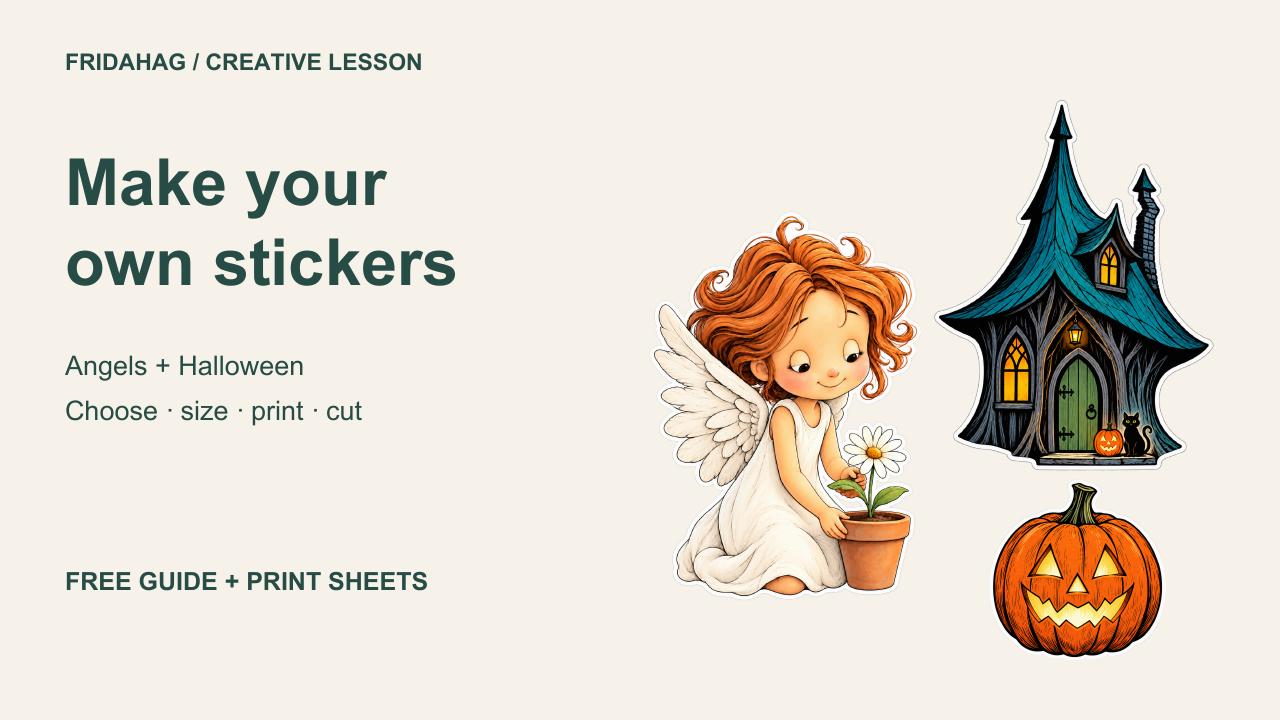
Turn angels and Halloween illustrations into hand-cut stickers. Learn to choose a silhouette, check transparency and white borders, compare sizes, and arrange printable sheets.
11-minute lesson with English narration and captions. The downloadable guide and prompts are in English.
Watch on YouTube from the release date
Free companion files
12 PNG designs, eight editable SVG page layouts, and four-page A4 and US Letter print PDFs. Approximate sizes: 3, 5 and 7 cm; detailed houses and the balloon angel use 5 and 7 cm.
Use blank full-sheet adhesive paper and cut by hand. Print one ordinary-paper test first. These files are not pre-cut-label templates or cutting-machine projects.
Teaching prompts — English
Setup and access check
I want to make hand-cut stickers from the attached artwork. First identify the files you can read. Check whether you can actually see and operate my installed Inkscape through Computer Use. Do not claim access from installation alone. If application control is unavailable, tell me and prepare an editable SVG layout and a PDF as files instead. Preserve my original artwork and save new versions separately. Do not publish anything.
1. Choose a practical silhouette
Make one sticker adaptation using this image as the subject, style and colour reference. Keep the entire angel, wings, hair, hands and flower pot. Remove the surrounding paper background. Keep every extremity inside the frame. Give the design a smooth white border and one connected outer silhouette suitable for hand cutting. Keep pale wings and clothing intact. Tell me whether your method preserves original pixels or generates a new adaptation. Save a new individual PNG and preserve the source.
2. Isolate a house or object
Make a single sticker adaptation of the central cottage. Keep the complete roof, chimney, walls, windows, door and doorstep. Remove the sky, trees, distant scenery and unrelated foreground objects. Preserve the reference's carved-ink style and colours. Use one connected white border with a manageable cutting outline. Save a separate PNG. Describe any details that were recreated rather than exactly extracted.
3. Check transparency and fragile parts
Inspect the saved PNG itself. Confirm an alpha channel and genuinely transparent exterior pixels. Show the unchanged file over both light and dark backgrounds. Check for leftover paper, grey fringes, detached specks, missing pale artwork and cropped tips. Distinguish fully opaque pixels from near-opaque pixels in the report. Do not treat a drawn checkerboard as evidence of transparency.
3. Check transparency and fragile parts
Check whether the balloon, string, plant pot and water drops remain part of a single practical sticker. Add or retain enough white connection around delicate parts for hand cutting. Keep fine illustrated details inside the outline. Do not force the balloon angel into the smallest size if its string becomes fragile.
4. Compare sizes without stretching
Prepare approximately 3, 5 and 7 cm versions measured along the longest visible edge including the white border. Keep proportions locked. Measure the visible artwork rather than empty transparent padding. Use 5 and 7 cm for the houses and balloon angel. Keep the PNG source unchanged when possible; change its placement scale in the layout. Show a comparison proof.
5. Arrange the printing sheets
Make separate A4 and US Letter layouts with comfortable cutting gaps and outer margins. Keep the visible stickers at least 9 mm from the page sides and away from headings and footers. Check every row for overlaps and clipping. Save an editable SVG for each page, embedding the PNGs so that the file does not depend on external image links. Also export a PDF for each paper edition. Do not add machine-cut registration marks or claim pre-cut-label compatibility.
6. Verify the actual files
Reopen the exported PDFs. Confirm four pages per paper edition and the correct page dimensions. Render every page and inspect the final row, margins, spacing and image edges. Confirm the embedded-image SVGs open without missing image links. Report which digital checks passed and which physical tests remain unperformed. Do not substitute an application preview for checking the export.
Prepared teaching visuals use the actual project files. Artwork is AI-assisted adaptation. Narration uses Frida Hag’s authorised AI voice clone. Physical printing, cutting and water resistance have not been tested.
Personal projects and commercial finished designs are permitted under the included licence. Do not redistribute or resell source files.
Original illustration packs
Garden Angels · Witches Cottages
Garden Angels — Gumroad €0+ · Witches Cottages — Gumroad €0+